- HOW CAN I REACH THE FREE TRAIL PERIOD?
You must following this 3 easy steps, 1) join in the vrv-club, 2) subscribe to the golden susbcription, 3) complete the Paypal forms
If you don't wish renew your subscription one week later you will must cancel your subscription before the free period expires.
- HOW LONG DOES IT TAKE FOR YOUR ACCOUNT TO ACCREDIT MY BUY?
When you buy any product you are automatically enabled to use your credit.
- CAN I DOWNLOAD MY PRODUCTS IN ANY LOCATION AND MORE THAN ONCE?
Yes, you can download in all locations and all the times as you want.
- WITH THE GOLDEN SUBSCRIPTION OR GOLDEN MEMBERSHIP CAN I DOWNLOAD THE REPORTS FOR DIFFERENT TRACKS?
With the golden subscription or golden membership you can download any track any day. All as you want without any restriction.
- WHICH IS THE COST FOR EACH REPORT WITH THE GOLDEN PRODUCTS?
In a typical month you can download more than 200 files: it's a cost of each one lower than $0.50.
- I WOULD LIKE TO KNOW THE DIFFERENCE BETWEEN PDA AND REGULAR CHARTS.
We have 2 formats available. PDA & Paper. PDA is for palm or pocket pc devices meanwhile Paper is in pdf format for print (or see) with Adobe Acrobat (most popular browser). If you don't have a palm or pocket pc device you must download the Paper format (Red) and forget the PDA format (Green).
- WHICH DOES THE LEVEL REPRESENT?
The level (A to E) represents the potential of the horse in the race. Habitually the horses with level A or B have the main possibilities to win.
- WHICH DOES THE ORDER REPRESENT?
The order (1 to 14) represents the theory final position in the race.
- WHAT DOES THE 100.40% REPRESENT NEXT TO THE 1-B-6 AS AN EXAMPLE?
This is the VRValue generated for the horse in this race; it is as the race time, with a lower value better performance. You can read our examples at http://www.vrvalues.com/example.php for further information.
- THE 1-B-6 WOULD MEAN THE HORSE FINISHED 1ST AND GOING IN THE RACE THE HORSE HAD A B6 RATING, CORRECT?
Yes, the 1-B-6 represents that the horse in this previous race have a vrv-qualy of B-6 and their final position was 1.
- WHICH IS THE VRVALUE OF THE HORSE FOR THE TODAY'S RACE?
The VRValues is only the previous races, is the value of each presentation of this horse. For the race the horse has the vrv-qualy (level - order). For the race the vrv-qualy is close to the name read http://www.vrvalues.com/how.php for further information.
- WHEN THERE IS A SCRATCH FROM THE SELECTIONS. WHAT DO I DO TO REPLACE THE SCRATCH SELECTIONS? SO THAT I MAY STILL HAVE THREE SELECTIONS
The following order replaces the scratched.
Example: #1 - b-4 #2 - a-2 #3 - c-5 #4 - a-1 #5 - b-3 Selections: 4 2 5If the #2 is scratched: #1 - b-3 #2 - SCR #3 - c-4 #4 - a-1 #5 - b-2 Selections: 4 5 1.
- I DOWNLOADED THE NEW SOFTWARE AND INSTALLED IT. HOWEVER, I CAN'T GET IT TO RUN. I TRIED SETUP. I DOWNLOADED THE VRV FILES STILL NOTHING. CAN YOU PLEASE HELP ME?
You must start the software, if you don't find it in your system you must search it. The default folder is 'C:\Program Files\VRV_HS\'. If you didn't change it, the file 'VRV_Soft.exe' must be here. if you reach it with the windows explorer, only doing doubleclick over the .exe file the software will start. Then you open the software and you must see this screen:
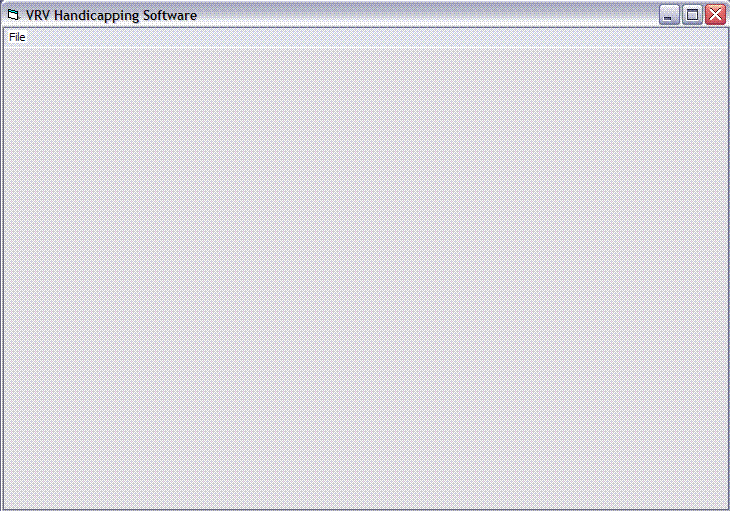
After, you must click on 'Open' and you will see this:
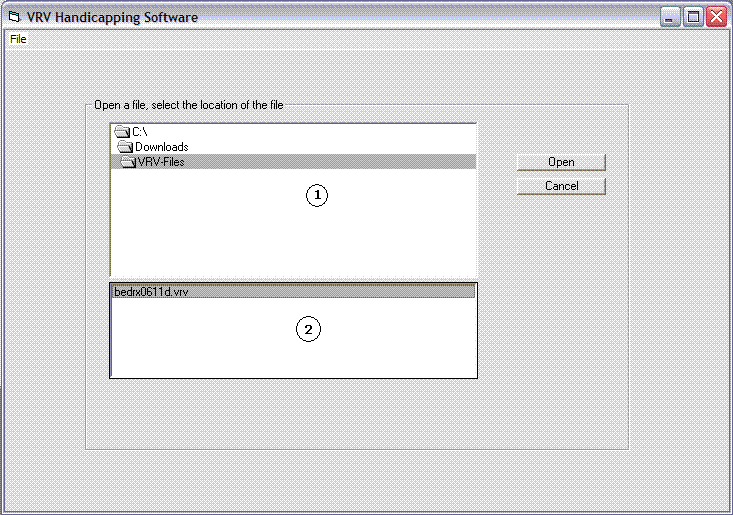
In (1) you must find the folder where you downloaded the vrv-file, in the example 'C:\Downloads\VRV-Files' (or as you want).
In (2) you see all the files that you have in this folder (in the example i have only 1 'bedrx0611.vrv'), You must do doubleclick over the file that you want to analyze (in this case 'bedrx0611.vrv') and you will see this screen:
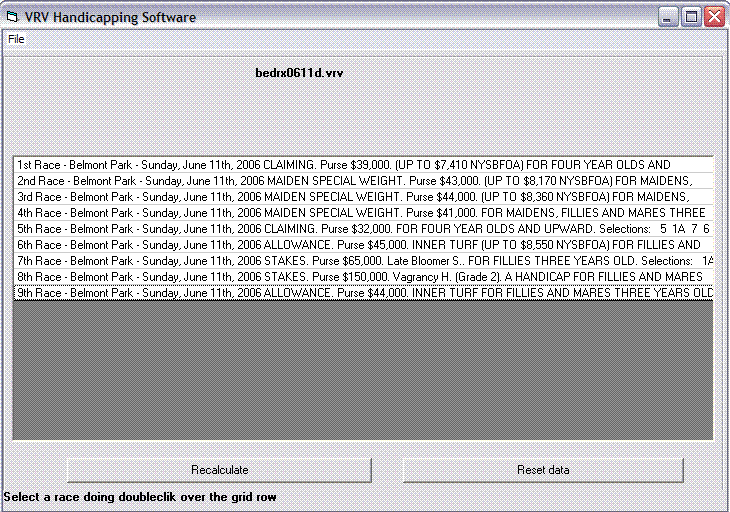
Then, you can start using the software. Doing doubleclick over the race you will see the horses.
- I SAVE THE DATA FILE (THE NEW ONES I SEE ON THE AVAILABLE DOWNLOAD LIST) BUT WHEN I HIT "OPEN" IN THE VRV SOFTWARE IT DOESN'T SHOW THE FILE I SAVED (AN I AM GOING TO THE DIRECTORY I SAVED IT IN).
This happen because you are not in the correct folder.
You must go to the folder where the file is, you do this moving in the upper window until you found the correct folder. When you are on it, the vrv files will be displayed in the lower window and you can select the file that you want clicking "Open" (or double click over it).
Tip:
If you save the vrv files in a folder like 'C:\Downloads\VRV-Files', you can press the right button over the 'shortcut to vrv_soft' and select 'Properties' and change where it says 'Start in:' by 'C:\Downloads\VRV-Files', doing this always the software will be open in this folder.